There is something in Safety365 you work around.
Maybe you pull a report into a spreadsheet to get a view you cannot get on screen. Maybe you have shown three different people the same sequence of steps, in the same order, because that is the order that works. Maybe it is smaller than that. A filter you reset every time. A column you wish you could sort.
There has not been an obvious place to put any of that. Working around something is quicker than writing it up, and on a busy day quicker wins.
Which of those workarounds has anyone outside your own team ever heard about?
The ideas that never reach the roadmap
Here is the problem that creates. The people who understand what a system is missing are the people using it under pressure, with real substances, on a real site, at four o'clock on a Friday. That understanding stays with the person who has it, because there has been no structure that moves it anywhere.
What reaches us is whatever happens to surface, through calls, implementation sessions and the themes a support agent notices. Those signals come from whoever was talking to us that week.
Which means a shared problem can look like one person's preference.
What changes when you write it down
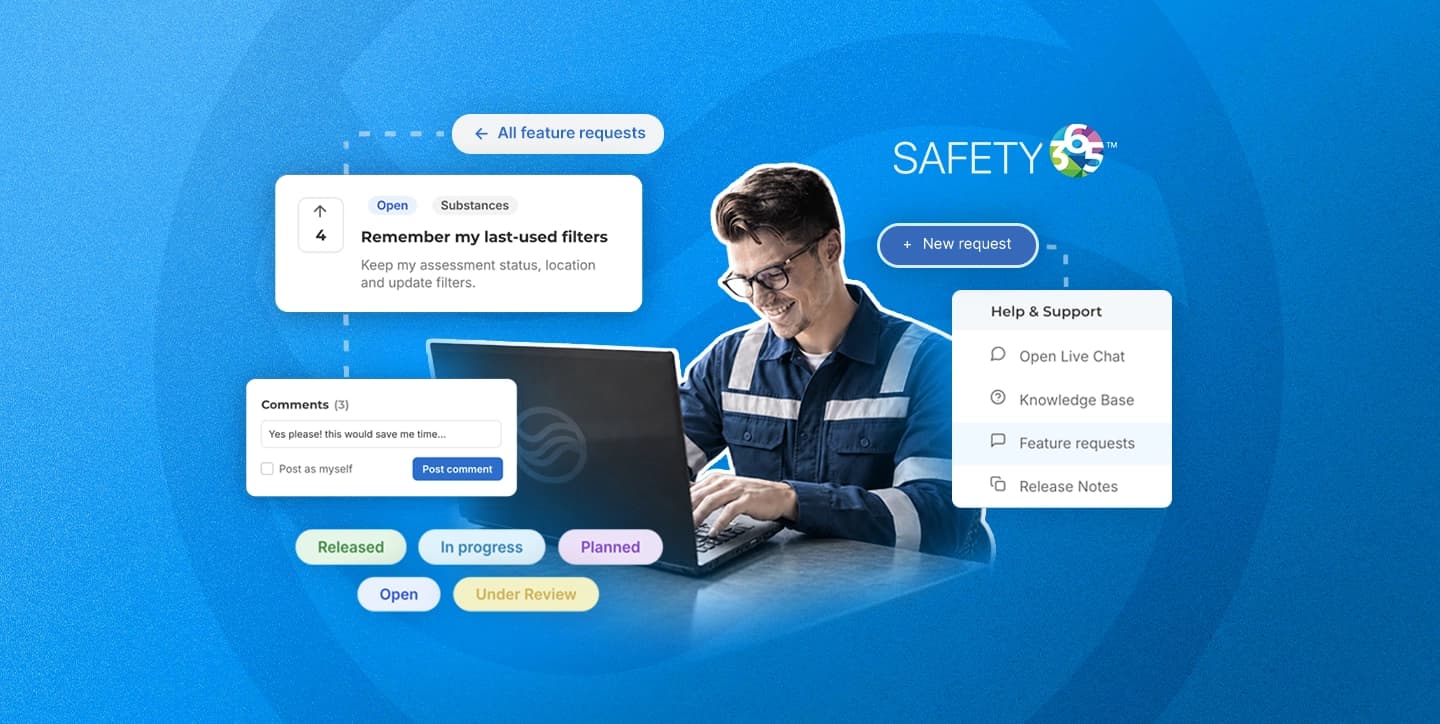
Submit it through Safety365’s Feature requests board, and it has a place alongside other suggestions, a visible vote count and a status you can check. Other users can vote and comment. You can describe the problem, explain the workaround and attach a screenshot to make it clearer.
Votes help show where interest is strongest. However, they are not a promise that a request will be built.
How many things have you worked around this month without telling anyone?
So we built somewhere to put it
The feature request area sits inside your Safety365 account, under the Help and Support icon at the top right. Opening it takes you straight there.
Everything in it is open to every user. You can submit a request, vote on anything already raised, and comment on other people's. Nothing is reserved for administrators.
Submitting takes four fields. A title, a description, the Module it relates to, and any attachments you want to add. A screenshot of the screen you are describing often does more work than a paragraph about it.
There is also an option to post anonymously, which is there for the requests people hesitate over. If you would rather raise something without your name attached to it, raise it that way.
Look before you submit
The form carries a search, and it is worth using before you write anything. Three requests describing one problem look like three small asks. One request carrying three votes looks like what it is. You can also sort by vote count to see what has gathered weight, by newest to see what has just come in, or filter by status to see what is already being worked on. Our published development roadmap covers what is already in the pipeline.
What happens to your vote
A request describes a problem. A vote says how many other people have run into the same one.
Each vote is one user, so the number beside a request is a headcount. Sort the board by votes and the best supported requests come to the top.
Here is the part worth being straight about. A vote is no kind of delivery promise. It does not guarantee that something gets built and it puts a date on nothing. Not Planned is one of the six statuses for a reason, and some requests will end up there.
You can vote on as many different requests as you like, one vote each, and take a vote back if you change your mind. The counts sit on the board where everyone can see them, so you can look at what is already gathering support before you decide where to put yours.
The six statuses
Each request carries a status you can see and filter by, updated as it moves through the weekly review.
- Open: submitted and visible, waiting to be looked at
- Under Review: being discussed by the product team
- Planned: accepted and scheduled for development
- In Progress: being built
- Released: live in Safety365
- Not Planned: reviewed and not going ahead
Statuses get revisited every week on a fixed cadence, which is what keeps the board worth checking.
What makes a request usable
A request for a new button can only be built or not built. A request that describes what you are trying to do opens up more answers, because the same problem might be solved by a different feature, by a change to one that already exists, or by something in Safety365 that nobody has shown you yet.
So put the situation in. What you are doing when you hit the problem, how often it comes up, and who else it slows down.
A worked example
Weak: "Please add a bulk export button."
Usable: "At month end I report overdue assessments to four site managers. I currently filter by site, export, and repeat it four times, which takes about an hour. If I could produce one view split by site, I would save that hour every month and stop transcribing between spreadsheets."
The second version gives the problem, the frequency, the people affected and the outcome wanted. It also leaves room for a better answer than the one the requester had in mind.
Frequently Asked Questions
Where do I find feature requests in Safety365?
Sign in and open the Help and Support icon at the top right of your account. The feature request area opens from there. It is part of Safety365, so no extra login is needed.
Who can submit a request or vote?
Every user. Submitting, voting and commenting are open to everyone with a Safety365 account, and votes are counted per user. There is also an option to submit anonymously.
Does submitting a request mean it will be built?
No. Votes decide which requests get discussed first at the weekly product review, and that is the extent of it. No request carries a delivery date, and Not Planned is one of the six statuses, so some requests will be reviewed and declined with the status updated to show it.
How many times can I vote?
As many times as you like, across as many requests as you like. You can also remove a vote later. Vote counts are visible on the form, so you can see which requests have gathered support.
What should I do if my idea is already there?
Add your vote to it. One request carrying several votes is clearer evidence than several requests describing the same problem separately. If your situation differs from the one described, add a comment, because that detail is often what makes a request actionable.
The gap between what the system does and what you need it to do is already in your head. It is worth two minutes to write it down.
Sign in to Safety365, read what others have raised, and add your vote or your own request.

Safety & Compliance Experts
The Sevron team brings decades of combined experience in health and safety compliance, risk assessment, and workplace safety solutions.

Reviewed by
Dale Allen
CEO & Founder