Audit and Inspections Management: Plan, Do, Act, Check
685,800+ health and safety professionals in 135+ countries
rely on Sevron to simplify chemical safety compliance.

Everything an Audit Programme Needs to Turn Findings Into Evidence of Action
Template Builder
Custom templates with your own checklist clauses
Audit Scheduling
Scheduled or ad-hoc, with owner and auditor
Guided Checklists
Clause checklists with evidence and photo capture
Audit Findings
Three finding types with graded nonconformities
Corrective Actions
Named owners, due dates and completion evidence
Closure Verification
Confirm fixes worked before a finding closes
At a Glance
Safety365 Audit Management software gives organisations everything they need to plan, conduct, and close out audits in one intelligent platform. From template build and scheduling through to checklist completion, finding classification, root cause analysis, and verified closure, everything stays connected, documented, and built around the way safety teams actually work.
Get Early Access
These details set up early access to Audit Management. Get a confirmation email, then use the five audits to build a first template.
Early Access: Every Finding Closed. Every Fix Proven.
An audit programme is only as strong as the trail between the audit and the fix. Safety365 Audit Management keeps the finding, the corrective action, the evidence and the person who verified it on one record. Proving what changed takes minutes rather than days of chasing people, whether anyone asks next week or next year.
Audit Management goes public in 2027. Before then, early access is opening to a small number of teams, with five audits included. That's enough to build a template, run a real audit against it, and take a finding all the way through to verified closure.
What is Audit Management?
Audit Management is the systematic process of checking whether health and safety arrangements work in practice, recording what the audit finds, and acting on the gaps. Under regulation 5 of the Management of Health and Safety at Work Regulations 1999, UK employers must have arrangements in place for the effective monitoring and review of their preventive and protective measures.
Without a structure, audits get scheduled and never happen, findings sit in a document nobody reopens, and actions close on trust rather than evidence, leaving the organisation unable to show an inspector what actually changed. Safety365 Audit Management replaces scattered checklists and email chains with one record running from template through to finding, action, and verified closure.
An audit is not the same thing as an inspection. An inspection asks whether a control is in place today. An audit asks whether the arrangement that put it there is working, and whether it will still be working once the person who set it up has moved on. Audit Management runs both, so the evidence from each sits in the same place.
Conducting the audit is the first half of the job. The second half is the record of what each finding led to, a year after the auditor has gone.
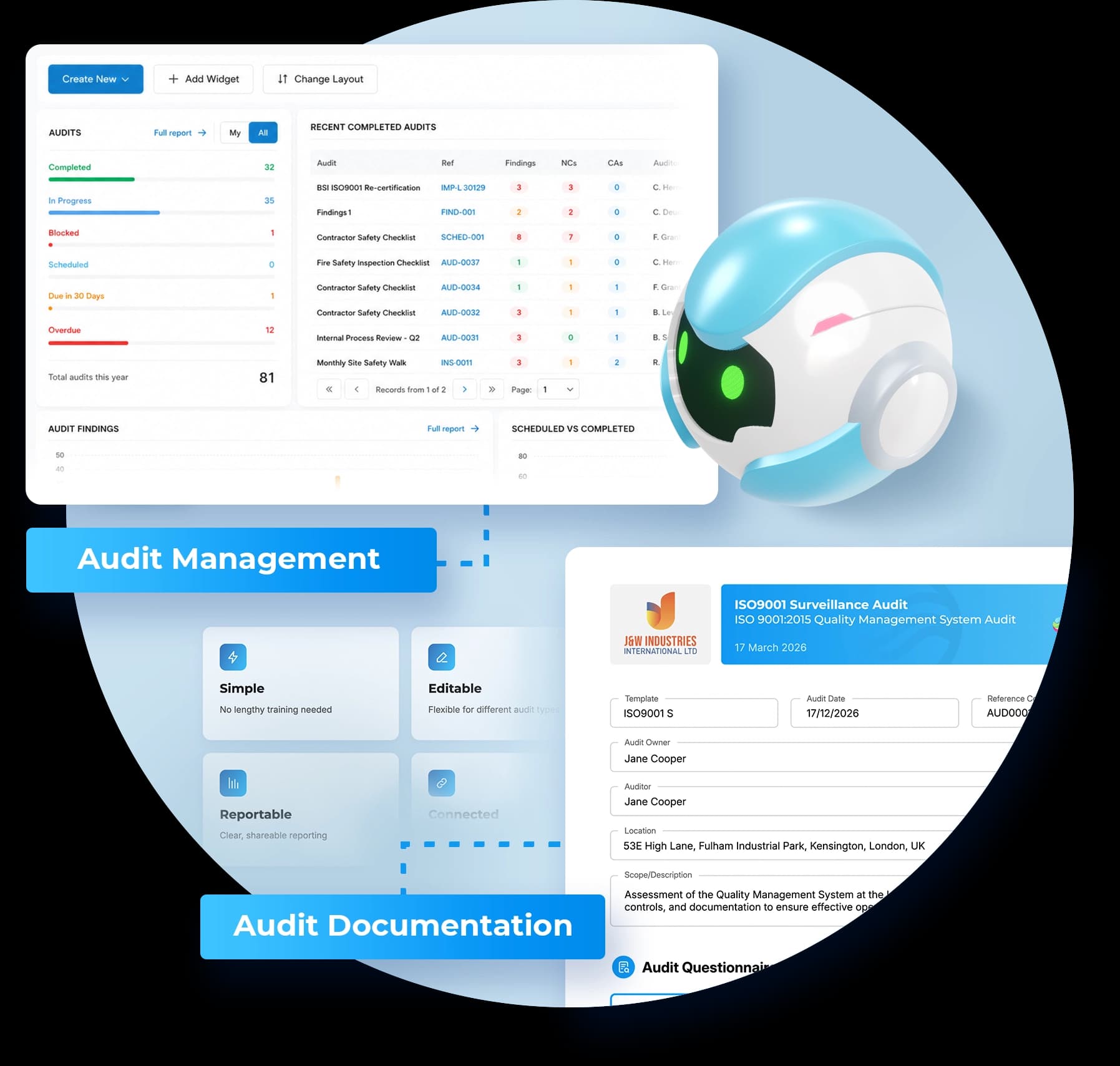
Explore the Audit Management dashboard
Hover over any panel to preview what it shows, or click it to keep it selected. Click it again to deselect.
Audits
Recent completed audits
View all| Audit | Ref | Findings | NCs | CAs | Auditor | Completed |
|---|---|---|---|---|---|---|
| Monthly Site Safety Walk | INS0008 | 0 | 0 | 0 | Beth Coram | 27/08/2026 |
| Contractor Safety Checklist | AUD0036 | 2 | 0 | 2 | Ann Mitra | 05/08/2026 |
| Contractor Safety Checklist | AUD0039 | 1 | 1 | 0 | Richard Pearce | 29/07/2026 |
| Contractor Safety Checklist | AUD0040 | 0 | 0 | 0 | Richard Pearce | 25/07/2026 |
| Contractor Safety Checklist | AUD0041 | 2 | 2 | 0 | Michael Ford | 25/07/2026 |
| Contractor Safety Checklist | AUD0042 | 4 | 2 | 2 | Ann Mitra | 25/07/2026 |
| Contractor Safety Checklist | AUD0032 | 3 | 1 | 1 | Beth Louise | 13/07/2026 |
| Internal Process Review | AUD0031 | 3 | 0 | 1 | Bryan Soros | 12/07/2026 |
Audit findings
Full reportOther finding types
Scheduled vs completed
Full reportHow Safety365 Simplifies Audit Management
Safety365 replaces printed checklists and version-confused spreadsheets with a structured, digital audit workflow. Safety teams build a template once, publish it, and schedule it against specific sites, dates and auditors. Auditors work through a clause-based checklist, capturing the evidence and attachments each clause requires. Changing a published template does not disturb an audit already under way.
Findings are classified as a nonconformity, an observation or an opportunity for improvement, and can be taken through root cause analysis. Corrective actions carry an owner and a due date, and sit in the shared Actions module alongside actions from the rest of Safety365, such as incidents. With closure verification switched on, a finding waits for closure until someone independent confirms the fix worked.
The audit produces a report that can be shared, but publishing it does not close the findings. They stay open until their actions are done.
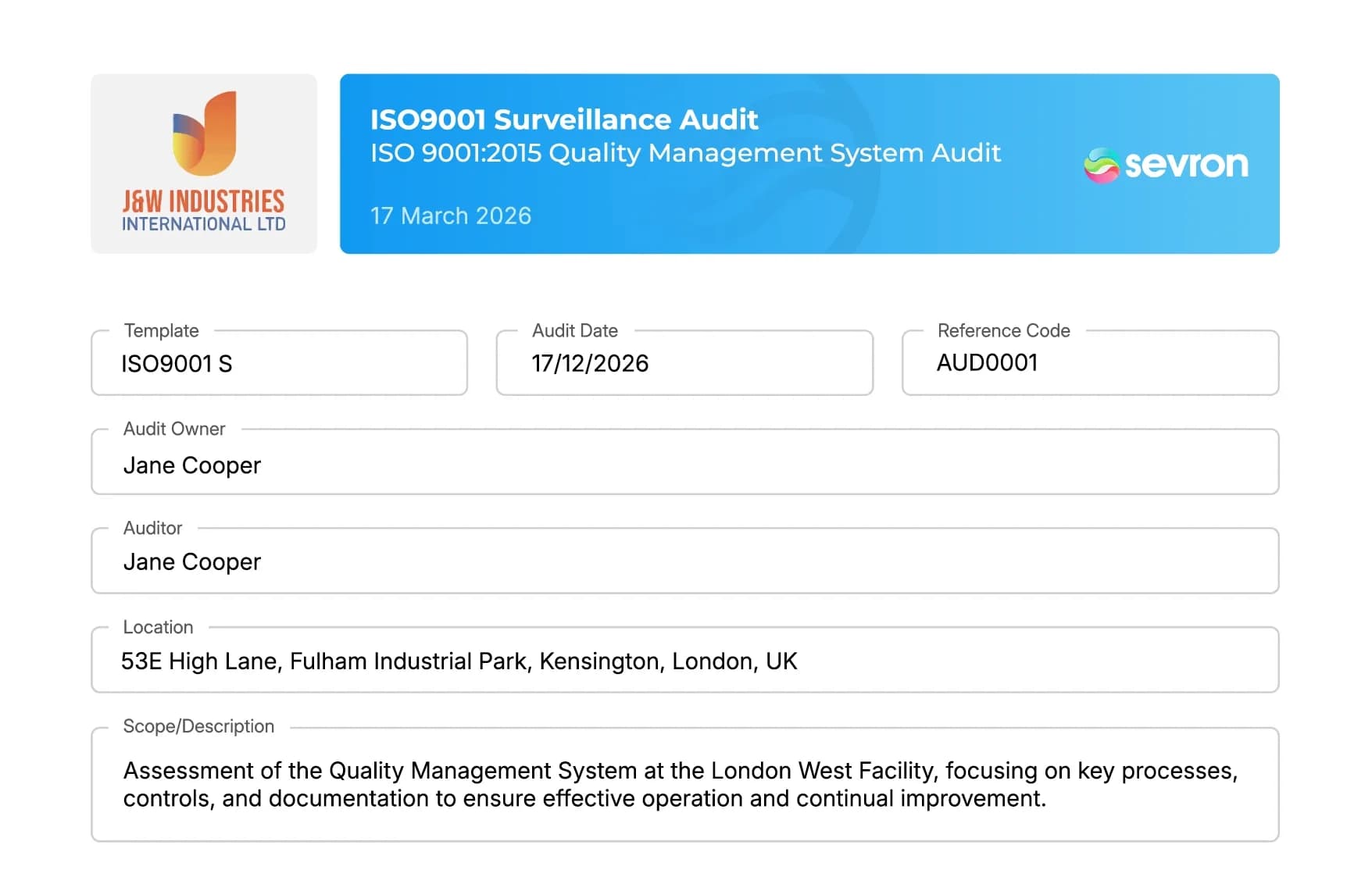
Auditing doesn't have to be a folder of PDFs nobody opens between visits. With Safety365, organisations run audits where every finding is classified, investigated, assigned and tracked to closure, building the evidence trail an inspector expects to see. Ready to see it in action?
Save Time & Money vs. Manual Audit Management
Why waste hours on manual, error-prone processes? Sevron's intelligent platform streamlines every stage of Audit Management from template build to closure and reporting.
*Based on a £22/hour rate and a typical mid-size organisation preparing quarterly compliance reports
Report Generation
Manual
Days of data gathering
Sevron
One-click reports
Time Saved
48 hrs
Cost Saved
£1,056
Data Compilation
Manual
Manual spreadsheet work
Sevron
Automated aggregation
Time Saved
72 hrs
Cost Saved
£1,584
Compliance Status Tracking
Manual
Periodic manual checks
Sevron
Live dashboard
Time Saved
Varies
Cost Saved
Max
Audit Preparation
Manual
Weeks of prep work
Sevron
Always audit-ready
Time Saved
Max
Cost Saved
Max
Overall Reporting Process
Manual
240+ hrs
Sevron
6.2 hrs
Time Saved
234 hrs
Cost Saved
£2,640/year
Trusted by 685,800+
Safety professionals worldwide rely on Sevron to simplify chemical safety compliance

"We generate COSHH assessments in under a minute. It's transformed our chemical safety process."— Josephine Smith, ACM


Frequently Asked Questions
What is health and safety audit software?
Health and safety audit software is a digital system for planning audits, conducting them against a structured checklist, recording findings, and tracking the corrective actions that follow. It replaces the spreadsheets, printed checklists and email chains most organisations still rely on. Under regulation 5 of the Management of Health and Safety at Work Regulations 1999, employers must hold arrangements for monitoring and reviewing their safety measures. Safety365 keeps that cycle in one auditable record.
Can organisations build their own audit templates?
Both options exist. Templates can be built from scratch with company-defined sections and checklist clauses, then published with a version freeze so every audit stays tied to the template version in use when it started. Sevron also maintains a library of more than 6,500 prebuilt templates, and will build one to order where a standard is not covered. Changing a published template does not alter an audit already under way.
What is the difference between an internal audit and a compliance audit?
An internal audit checks an organisation's own arrangements against its own standards. A compliance audit checks them against an external requirement, whether regulatory or contractual. In Safety365 the distinction sits in the template, which defines the audit type, the scope and the checklist clauses used. The same workflow of findings, root cause analysis and verified closure runs behind both, so results stay comparable across audit types.
What happens to findings after an audit is published?
Publishing an audit report does not close its findings. Each finding carries objective evidence, auditor notes, root cause analysis and corrective actions, and stays open until that work is done. A finding closes only once every linked corrective action is closed. Where verification is required it stays pending verification first, so someone independent can confirm the fix actually worked. Company settings decide which finding types need that step.
How many audits does the early access include?
Five, at no cost. That covers building a template, running an audit against it, recording findings, raising corrective actions and taking at least one finding through to verified closure, so a team can judge the module on its own records rather than on a demonstration or a trial that expires before the work is finished.
Does Safety365 replace an existing ISO audit process?
No. Safety365 sits alongside an existing ISO audit process rather than replacing it. Templates are built to whatever standard an organisation audits against, whether that is a certification requirement, a customer contract or an internal policy, so existing clause structures carry across unchanged. What shifts is where the work lives. Findings, root cause analysis and corrective actions run in one connected record rather than across separate documents and email threads.
Is Audit Management included in Safety365 or a separate add-on?
Separately. Audit Management is a paid addition to Safety365 rather than part of the core subscription, so existing customers add it to their current plan. Access is then controlled by module activation and by each user's audit role and location, which means it can be switched on only for the teams that need it. Speak to the Sevron team about pricing and rollout.
"The smartest thing in safety since common sense"
Dale Allen, Founder, Sevron